
How to Remove Betting and Gambling Ads From Your Online Experience
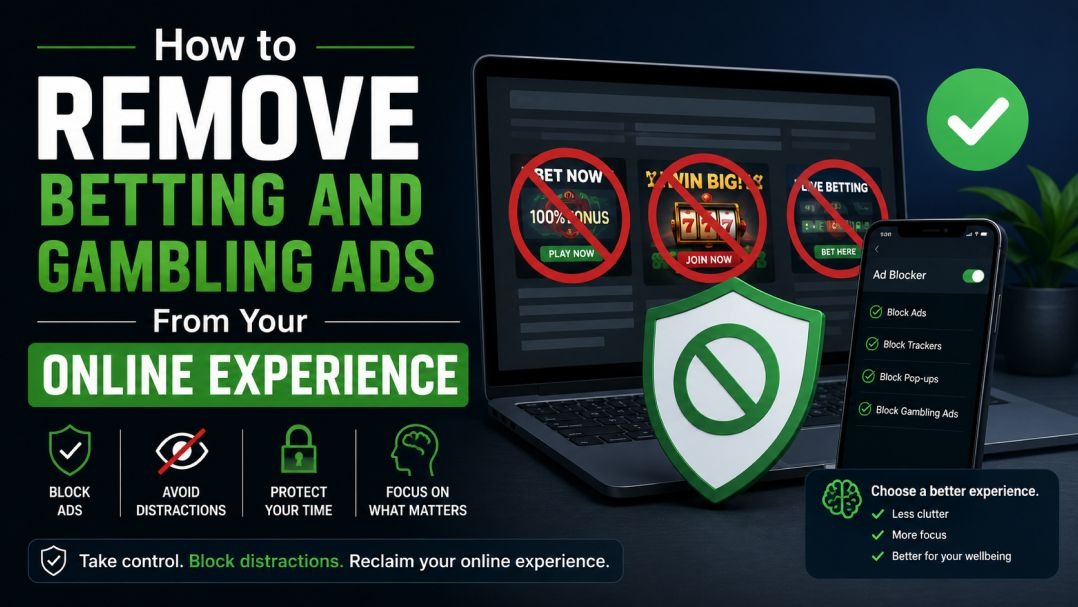
Betting ads are everywhere — on your social media feeds, in search results, between YouTube videos, and scattered across the websites you visit every day. For most people they’re just background noise, but for anyone trying to cut back on gambling or take a complete break, constant exposure to these ads can make that genuinely harder.
This guide covers every practical method available to South African users for reducing or eliminating betting ads — from quick one-minute fixes to more thorough device-level solutions. Work through as many as apply to you.
Turn Off Ad Personalisation on Google
Google is responsible for a huge proportion of the betting ads you see online — not just in Search, but across YouTube, Gmail, Google Maps, and millions of third-party websites that use Google’s ad network. The good news is that Google gives you meaningful control over this from a single settings page.
On desktop
- Visit myaccount.google.com and sign in to your Google account.
- Click on “Data & Privacy” in the left-hand menu.
- Scroll down to the “Ad settings” section and click “Ad Personalization.”
- Toggle personalization off. This stops Google from using your browsing history, search activity, and interests to target ads at you.
- If you want to keep personalisation on but remove gambling specifically, scroll down the same page to find your list of “Ad Topics.” Locate “Gambling & lottery” and click “Turn off” next to it.
On Android (Google Chrome app)
- Open the Chrome app and tap the three dots in the top-right corner.
- Go to Settings → Google → Ads.
- Enable “Opt out of Ads Personalisation.
On iPhone/iPad
- Go to your device Settings → Privacy & Security → Apple Advertising.
- Toggle off “Personalised Ads.”
- Additionally, open the Chrome app (if you use it) and repeat the Android steps above.
Tip: If you’re signed into your Google account across multiple devices, changes made on one device will apply everywhere automatically.
Adjust Your Settings on Each Social Media Platform
Social media platforms run their own independent ad systems, so Google’s settings won’t affect what you see on Facebook or TikTok. You’ll need to adjust each platform separately.
Facebook’s ad targeting is particularly detailed, which means the controls are also quite granular.
- Tap the three-line menu icon and go to Settings & Privacy → Settings.
- Select “Ad Preferences” from the menu.
- Tap “Ad Topics” and search for “Gambling.” Select “See fewer” or “See less.”
- While you’re there, also check “Advertisers you’ve interacted with” — you can remove betting companies from this list so they can no longer retarget you.
- Under “Ad Settings,” switch off “Ads based on data from partners” and “Ads based on your activity on Facebook Company Products.”
Instagram shares its ad system with Facebook, but you need to adjust settings separately inside the app.
- Go to your profile and tap the three-line menu → Settings → Ads.
- Under “Ad Topics,” find and mute gambling-related categories.
- When you see a betting ad in your feed, tap the three dots in the top-right corner of the post and select “Not interested.” The more consistently you do this, the faster the algorithm adjusts.
YouTube
- When a betting ad appears, click “Skip ad” if available, then click the ℹ Info button or the three dots and select “Stop seeing this ad.”
- You can also click “Why this ad?” for more detail and an option to turn off that advertiser.
- For broader control, manage your interests under Google Ad Settings (covered in Section 1) — YouTube falls under the same system.
- YouTube Premium ($) removes all ads entirely across the platform.
X (formerly Twitter)
- Tap the three dots on any betting ad and select “Not interested in this ad.”
- To block a specific gambling advertiser from reaching you entirely, tap the three dots and select “Block @[username].”
- Go to Settings → Privacy and Safety → Ads Preferences and disable personalised ads.
TikTok
TikTok’s ad system is separate from all the others and increasingly used by betting companies targeting younger audiences.
- Long-press on any betting ad and select “Not interested” — do this consistently as TikTok’s algorithm responds relatively quickly.
- Go to Profile → ☰ Menu → Settings and Privacy → Privacy → Ads.
- Turn off “Ad Personalisation.”
- Under the same menu, disable “Interest-based ads” if the option is available in your region.
Snapchat
- Tap your profile icon → ⚙️ Settings → Privacy Controls → Ad Preferences.
- Disable “Audience-Based Ads” and “Activity-Based Ads.”
- On any betting ad, tap and hold → “Hide Ad” to remove that advertiser.
- Click the three dots on any unwanted betting ad and select “Report this ad” or “I don’t want to see this.”
- Go to Settings & Privacy → Advertising Data and turn off the data-sharing options listed there.
Install an Ad Blocker on Your Browser
Platform-level settings reduce personalised ads but don’t eliminate them entirely. Ad blockers work at the browser level to stop ads from loading altogether — which means you won’t see gambling ads at all on any website, not just the platforms listed above.
Recommended ad blockers
- uBlock Origin
The most widely recommended free ad blocker. It’s open-source, uses very little memory, and is highly effective. Available as an extension for Chrome, Firefox, Microsoft Edge, and Opera. Search “uBlock Origin” in your browser’s extension store and install it — no configuration needed to get started.
- AdGuard
Available both as a browser extension and as a standalone app for Windows, Mac, iOS, and Android. The app version blocks ads inside other apps on your phone as well, not just in the browser — useful for blocking ads in free mobile games and streaming apps.
- Brave Browser
If you’d prefer not to install extensions, switching to the Brave browser gives you built-in ad and tracker blocking from the start. It’s based on Chrome so most websites work the same way, and it requires zero setup. Available on desktop, Android, and iOS.
- AdBlock Plus (with custom filter)
If you want to keep using Chrome with an extension, AdBlock Plus allows you to add custom filter lists. You can add a “gambling” category filter from EasyList to specifically target betting-related ads even on sites that other blockers might miss.
- For Safari on iPhone/iPad
Safari doesn’t support traditional extensions in the same way, but 1Blocker and AdGuard for iOS both work as content blockers inside Safari. Download either from the App Store, then enable it under Settings → Safari → Extensions.
Block Betting Sites at the Network Level
Going a step further, you can block betting-related content for every device on your home Wi-Fi — phones, tablets, smart TVs, and laptops — without installing anything on the devices themselves. This is done through DNS filtering.
Using NextDNS:
- Go to nextdns.io and create a free account.
- In your dashboard, go to the “Blocklists” tab and add “Gambling” as a category to block.
- Follow NextDNS’s setup guide to point your router’s DNS to their servers. This takes about 10 minutes and covers your whole home network.
Using your router's built-in controls:
Many modern routers (including those provided by Africom, Vodacom, and others) have parental control settings that let you block categories of websites. Log into your router admin panel (usually at 192.168.1.1 or 192.168.0.1) and look for “Content Filtering” or “Parental Controls.”
Use a Dedicated Gambling Blocking App
If you’re trying to stop gambling altogether — or supporting someone who is — a dedicated blocking app is the most robust option. These work at the device level and are difficult to bypass, which is the point.
- BetBlocker (free)
A free, non-profit tool that blocks access to over 100,000 gambling websites on your device. Available for Windows, Mac, iOS, and Android. You can set a blocking period from 24 hours up to 5 years. Visit betblocker.org to download.
- Gamban
A more comprehensive paid option that blocks gambling content across all apps and browsers on your device — including in-app purchases and social casino games. Widely used by people in self-exclusion programmes. Visit gamban.com for details.
- GamStop (UK reference)
If you also access UK-based betting sites, GamStop is a national self-exclusion scheme that covers all UK-licensed operators. Register at gamstop.co.uk.
Block Gambling Transactions Through Your Bank
Removing the ads is one thing — blocking the ability to deposit in the first place adds another layer of protection. A growing number of South African banks now offer gambling transaction blocks.
- Contact your bank directly and ask whether they offer a gambling merchant category block (MCC block). Several major SA banks have introduced this.
- Some banks allow you to enable this through their app under spending controls or card management settings.
- Once enabled, any transaction to a gambling merchant will be automatically declined — including online betting deposits.
This is particularly useful as a commitment device: it removes the ability to act impulsively even if you see an ad that catches your attention.
Reporting Ads That Break the Rules
Not all betting ads are compliant. South African advertising regulations require gambling ads to include responsible gambling messaging, not target minors, and not make misleading claims about odds or winnings. If you see an ad that appears to break these rules, you can report it.
To Google
- Click the ℹ Info icon or three dots on the ad.
- Select “Report ad” and choose the most appropriate reason.
- Submit the form — Google will review and take action where necessary.
To the Advertising Regulatory Board (ARB)
The ARB handles complaints about advertising in South Africa across all media. You can submit a complaint at arb.org.za. Complaints are reviewed by an independent panel and can result in ads being pulled.
To your Provincial Gambling Board
Each province has its own gambling board that regulates licensed operators. If a licensed SA betting site is running irresponsible advertising, a complaint to the relevant board is taken seriously.
A Note on Children and Household Devices
If there are children or teenagers in your home, it’s worth taking additional steps — betting ads are increasingly appearing on platforms popular with younger users.
- Enable YouTube’s Restricted Mode (found in Settings) on any shared devices.
- Use Google Family Link to manage and approve what apps children can install.
- Set up network-level DNS filtering (see Section 4) so betting content is blocked across all devices in the home automatically.
- Have a direct conversation — research consistently shows that young people who understand the risks of gambling are less likely to develop problems later.
Further Support
Blocking ads and restricting access are practical steps, but if gambling has become a source of stress, financial difficulty, or conflict, speaking to someone can help.
SARGF Toll-Free Helpline: 0800 006 008 Free, confidential support available 24 hours a day, 7 days a week. Counsellors can help with problem gambling, advice for family members, and referrals to treatment programmes.